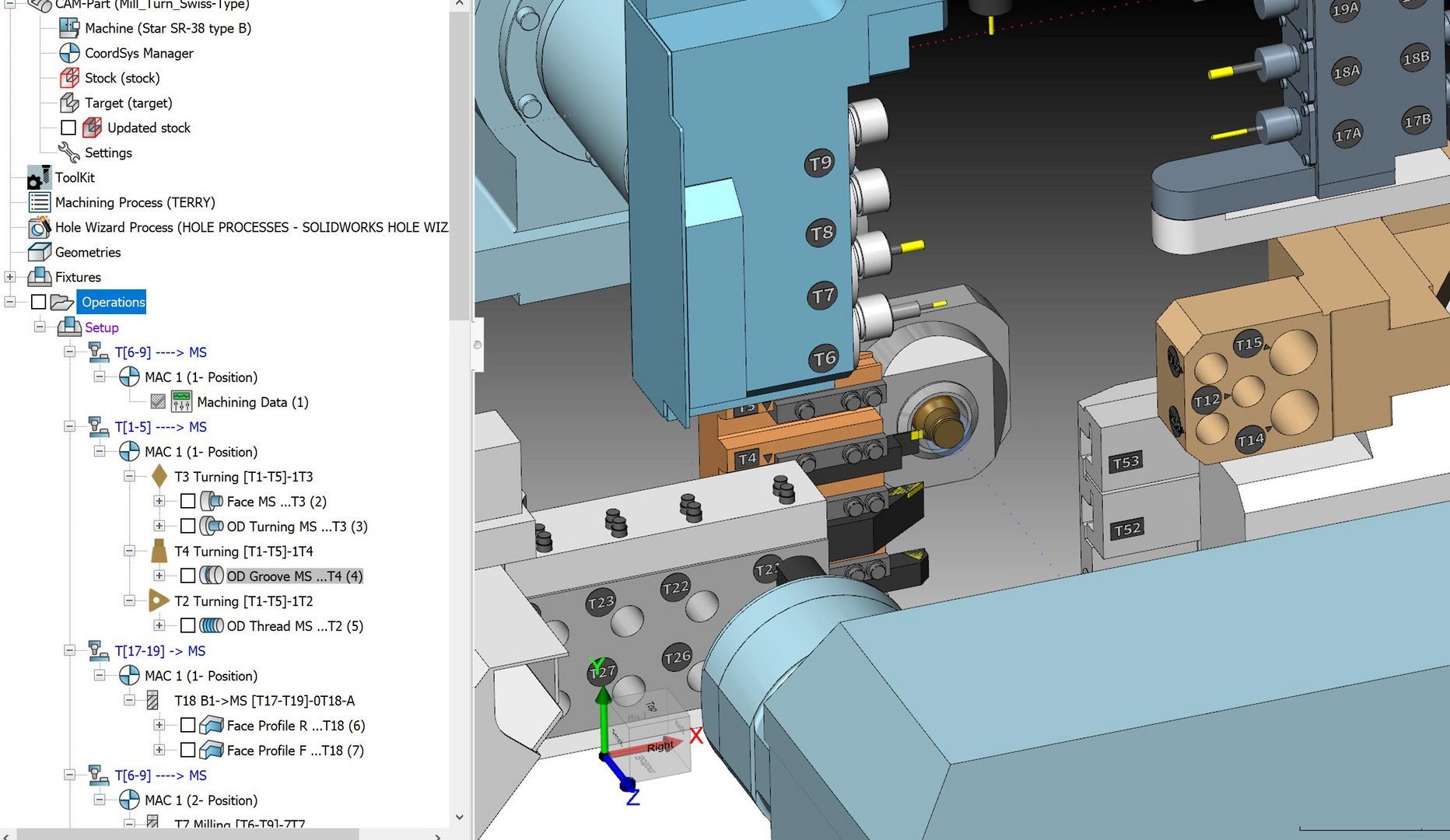
SolidCAM for Operators is a specialized solution designed to enhance the workflow between CAM programmers and shop floor operators. Its main goal is to create a smarter, more advanced system for sharing data and managing CNC operations efficiently.
By leveraging SolidCAM for Operators, you can ensure a seamless transition from programmer to part without needing complex explanations. This tool has many features that can be a great addition to any machine shop or manufacturing facility.
What is SolidCAM for Operators?
SolidCAM for Operators allows machine operators to get a clearer picture of the machine setup while previewing operations to help reduce the risk of errors. If the operator notices something off about a program, they can make minor changes to the G-Code without having to go back to the programmer. These changes include feed rate and spindle speeds.
 SolidCAM for Operators
Additionally, by having the initial review of the program, SolidCAM for Operators significantly reduces the risk of crashes, broken tools, and scrapped parts. This is further aided by letting the operators simulate the machining program. Combined with the user-friendly interface, you’ll be able to reduce your reliance on dry runs and get back to cutting as quickly as possible.
Editor Mode
The SolidCAM for Operators Editor Mode lets the CNC operators make changes to operations created by the SolidCAM programmer. In Editor Mode, operators can edit wall offsets, depth of cuts, add spring passes, and modify tool settings such as feeds, speeds, and hole diameters. Operators can also change the part setup, which is crucial for maximizing 4th and 5th-axis milling.

SolidCAM for Operators Editor Mode
This mode is designed to give operators the flexibility to make necessary adjustments without compromising the integrity of the original CAM programming. It helps prevent crashes, tool breakage, and scrap by allowing last-minute, on-the-spot changes and verifications. While Editor Mode lets you make modifications to existing operations, you are unable to create new operations or geometry without going back to SolidCAM’s programming environment.
Simulator Mode
The SolidCAM for Operators Simulator Mode lets the CNC operators run full G-Code verification on the program. In Simulator Mode, there are no CAM part editing capabilities, so you would need to use Editor Mode to make any changes to the CAM program. However, in Simulator Mode, the operator has access to the fully detailed tool table as well as information about work offsets and clamping locations.

Viewing the program simulation
This mode is designed to give operators real-time feedback on the upcoming program and reduce the need to dry run the program first. Any errors, missed material, or crashes can be quickly caught with the full machine simulation. These machine simulations can provide a full kinematic verification of your specific machine to ensure the program runs safely. These simulation features empower operators to confidently verify and adjust programs on the shop floor, ensuring safe and efficient production.
Are You Ready For a Digital Transformation?
The best case scenario for your business is to improve communication and data sharing between the programming and production teams. Doing so will make the entire manufacturing process more reliable and efficient. SolidCAM for Operators can provide you with a dedicated shop floor integration tool, installed at a kiosk or totem computer, to let the operators track, change, and verify CNC programs.
To see how SolidCAM for Operators could benefit your team, contact our CAM team here.
Cloud Software
law
4
Berita Olahraga
Lowongan Kerja
Berita Terkini
Berita Terbaru
Berita Teknologi
Seputar Teknologi
Berita Politik
Resep Masakan
Pendidikan


